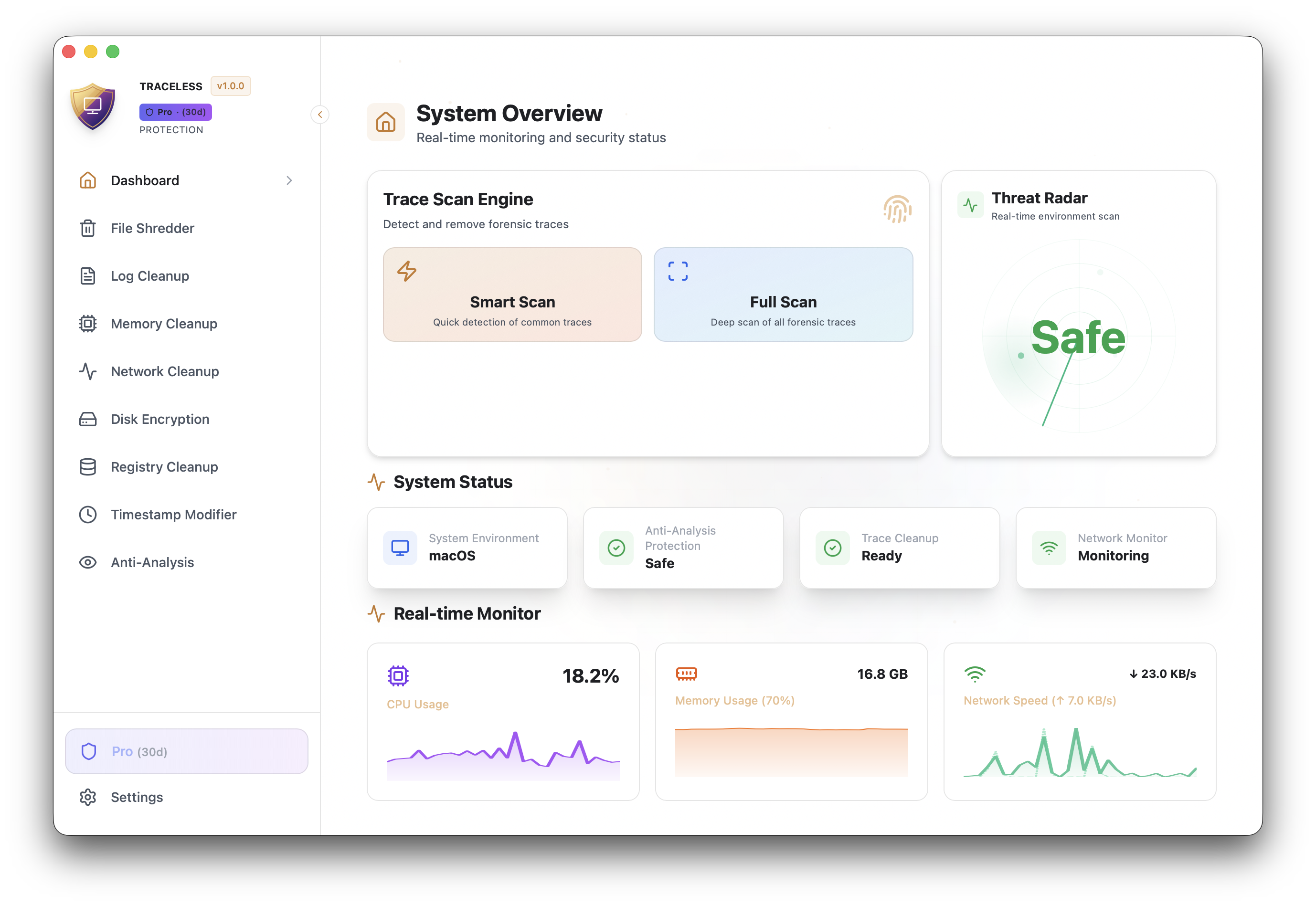
Advanced macOS privacy protection toolkit with military-grade data sanitization. Take control of your digital footprint.
Everything you need to protect your digital privacy in one powerful toolkit
Deep scan your system to identify privacy risks, tracking files, and digital traces that could compromise your security.
FreeSecurely delete files with military-grade multi-pass overwriting algorithms. Unrecoverable by any means.
FreeModify file creation, modification, and access timestamps to protect your activity timeline.
FreeDetect virtual machines, debuggers, and analysis environments to prevent forensic investigation.
FreeClear sensitive data from system memory and RAM to prevent cold boot attacks and memory forensics.
ProErase network traces, DNS cache, connection history, and browser data from your system.
ProSecurely clean system and application logs that could reveal your activities and usage patterns.
ProEncrypt sensitive files and folders with AES-256 encryption to protect your most valuable data.
ProPowered by cutting-edge technologies for maximum performance and security
Modern UI Framework
Memory-Safe Backend
Native Performance
Type-Safe Code
Clean, intuitive interface designed for privacy-conscious users
Available for macOS. Download the version for your Mac below.
Requires macOS 10.15 (Catalina) or later
Download the appropriate version for your platform and run the installer.
Run a system scan to identify privacy risks and potential data leaks.
Select the items you want to remove and initiate secure cleanup.
Enable Pro features for comprehensive protection and monitoring.
Solutions for common macOS installation problems
This error occurs because the app is not signed with an Apple Developer certificate. To fix it:
xattr -cr /Applications/Traceless.app
macOS Gatekeeper is blocking the app. You can allow it by:
If above methods don't work, you can temporarily disable Gatekeeper:
sudo spctl --master-disable
⚠️ Remember to re-enable after installation: sudo spctl --master-enable
For complete functionality, grant Full Disk Access: